
 ....
undefined FAQs
....
undefined FAQs
How do I log into my account?
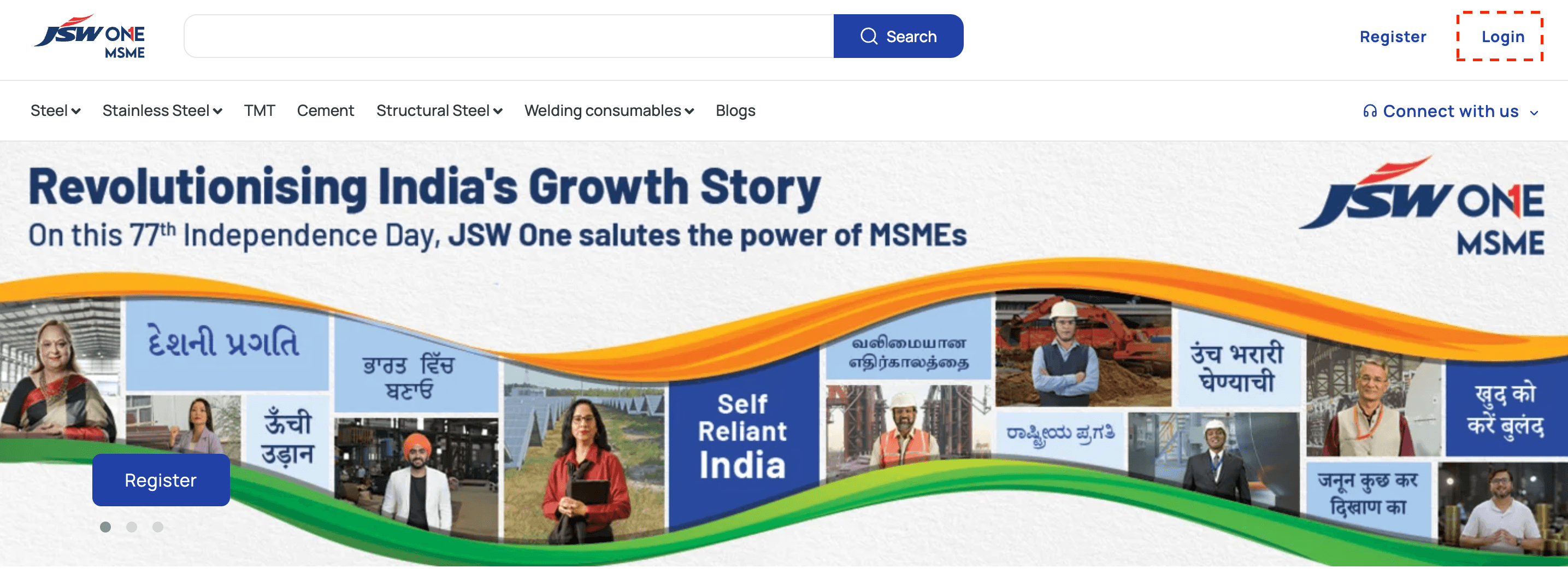
If you have already registered with JSW One MSME, you can click on 'Login' and decide to login via email address or mobile OTP verification. You will be able to see 'Login' button at the top right of the website main navigation.
Steps
1. Click on 'Login' to initiate the logging-in process
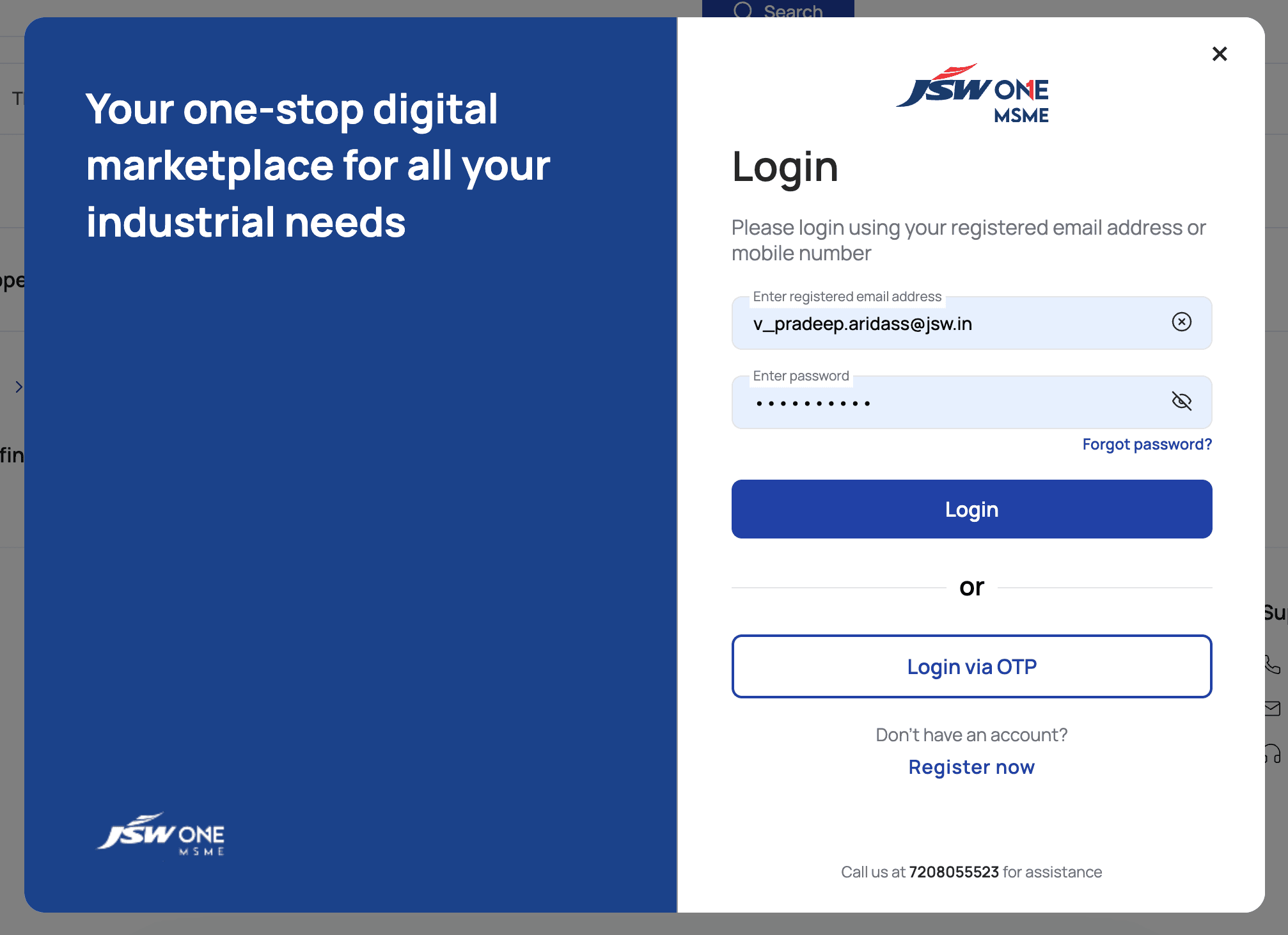
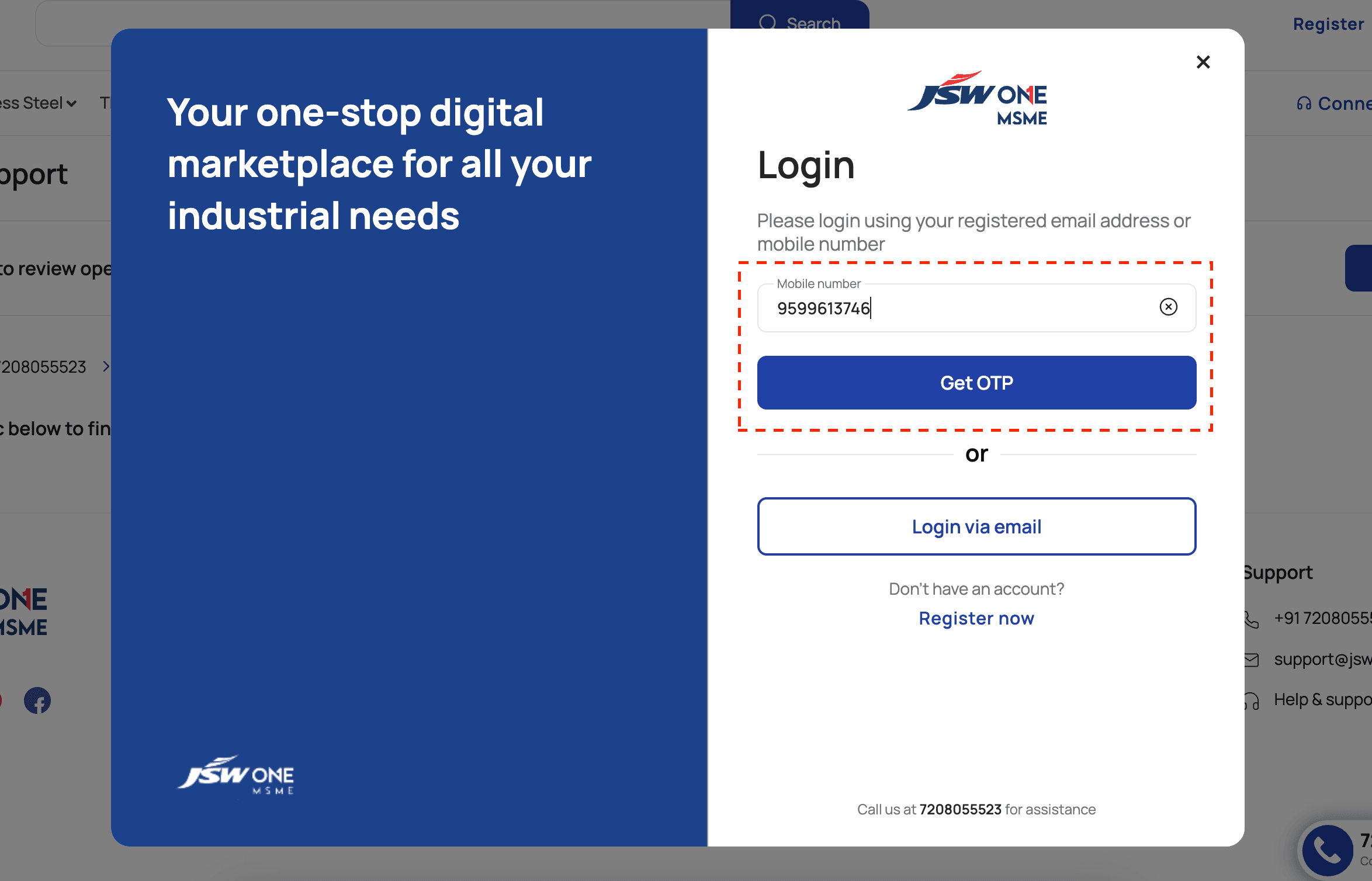
2. Enter mobile number if you want to login via registered mobile number or click on 'Login via email'
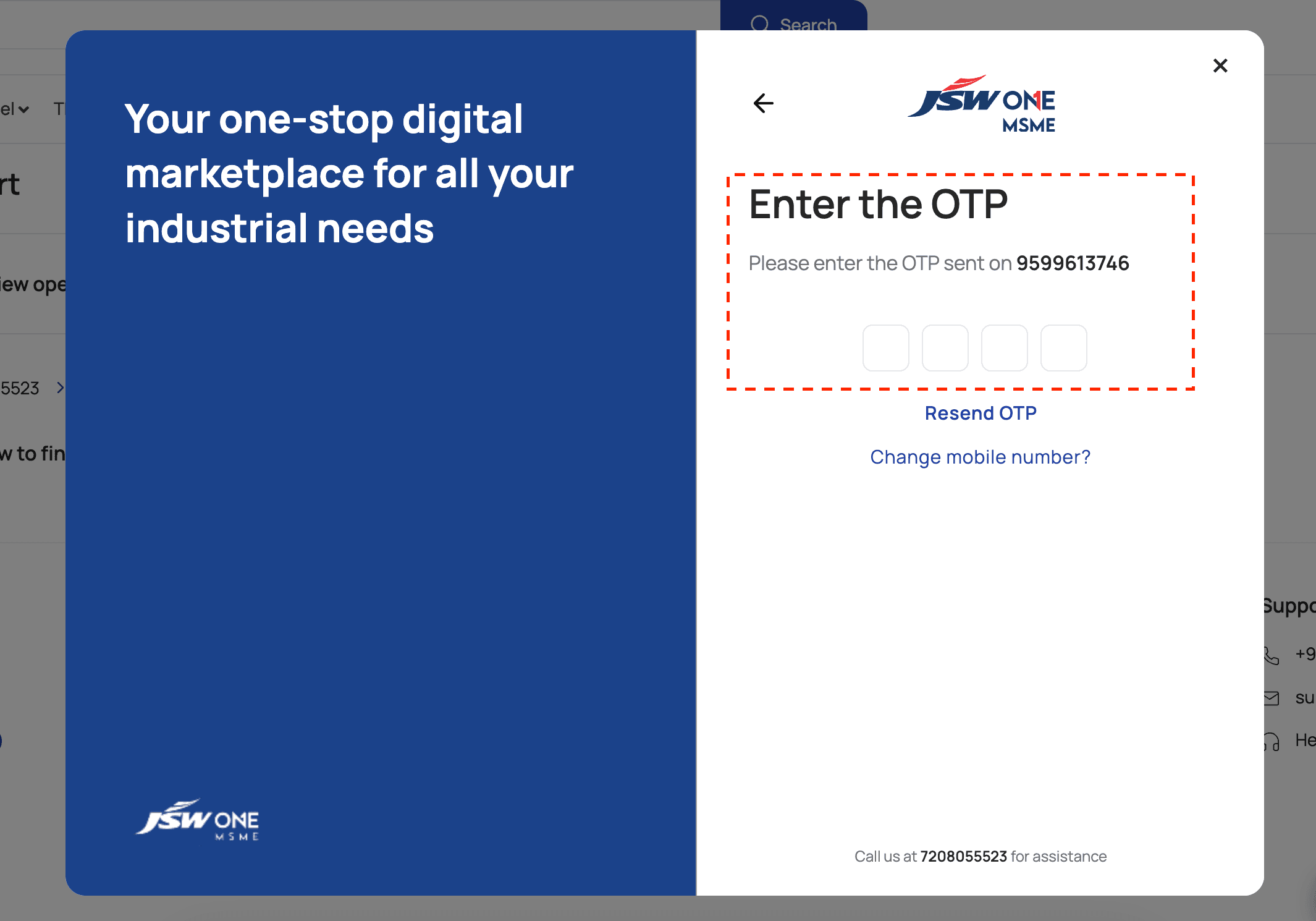
3. Please enter your registered mobile number & click on 'Get OTP'. You will receive a 4-digit OTP on your mobile number
4. If you click on 'Login via email', system would prompt for email address and password to login
5. On successful OTP verification or email address & password input, you will be logged-in on JSW One MSME


Buy online
Stainless SteelStructural SteelTMTCementBitumenJSW One MSME
About usBlogsSitemapJSW One TMTPolicy
Terms & conditionsPrivacy policyReturn policyBanking partner
 +91 7208055523
 support@jswonemsme.com
 Help & support
